
내레이션
국제화
i18next와 같은 라이브러리 및 onInkTranslate 함수를 사용해 Pixi’VN에서 ink 텍스트를 번역하는 방법을 알아보세요.
자세한 내용은 여기에서 설명한 것처럼, Pixi’VN에서는 i18next와 같은 라이브러리를 사용해 게임 텍스트를 번역할 수 있습니다. 또한 _ink_와 Pixi’VN의 통합에서도 라이브러리를 사용해 ink 텍스트를 번역할 수 있습니다.
Pixi’VN에서는 onInkTranslate 함수를 사용해 번역 이벤트를 가로챌 수 있습니다.
import { onInkTranslate } from "@drincs/pixi-vn-ink";
import { useEffect } from "react";
import { useTranslation } from "react-i18next";

export default function useInkInitialization() {
    const { t } = useTranslation(["narration"]);
    useEffect(() => {
        onInkTranslate(t);
    }, [t]);

    return null;
}
번역 파일 자동 생성
템플릿
모든 템플릿에서 설정의 다음 버튼을 사용하면 번역에 사용할 JSON 파일을 자동으로 생성할 수 있습니다.
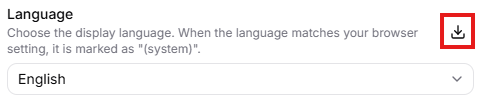
번역 파일을 쉽게 만들 수 있도록 generateJsonInkTranslation 함수를 사용해 ink 텍스트에서 JSON 구조를 자동으로 생성할 수 있습니다.
import { generateJsonInkTranslation } from "@drincs/pixi-vn-ink";
import i18n from "i18next";
import { convertInkToJson } from "./utils/ink-utility";

function getLocalesResource(
    lng: string,
): Promise<Record<string, Record<string, string>>> {
    return import(`./../locales/${lng}.json`);
}

async function generateResourceToTranslate(lng: string): Promise<any> {
    let res = await getLocalesResource(lng);
    res = { ...res };
    if (!res) {
        res = {};
    }
    if (!res.narration) {
        res.narration = {};
    }
    if (res.default) {
        delete res.default;
    }
    const manifest = await import("@/assets/ink-manifest.gen.json");
    for (const path of manifest.default) {
        const element = await fetch(path).then((r) => r.json());
        element && (await generateJsonInkTranslation(element, res.narration));
    }
    return res;
}

export async function downloadResourceToTranslate() {
    const lng = i18n.options.fallbackLng?.toString() || "en";
    const data = await generateResourceToTranslate(lng);
    const jsonString = JSON.stringify(data);
    // download the save data as a JSON file
    const blob = new Blob([jsonString], { type: "application/json" });
    // download the file
    const url = URL.createObjectURL(blob);
    const a = document.createElement("a");
    a.href = url;
    a.download = `strings_${lng}.json`;
    a.click();
}